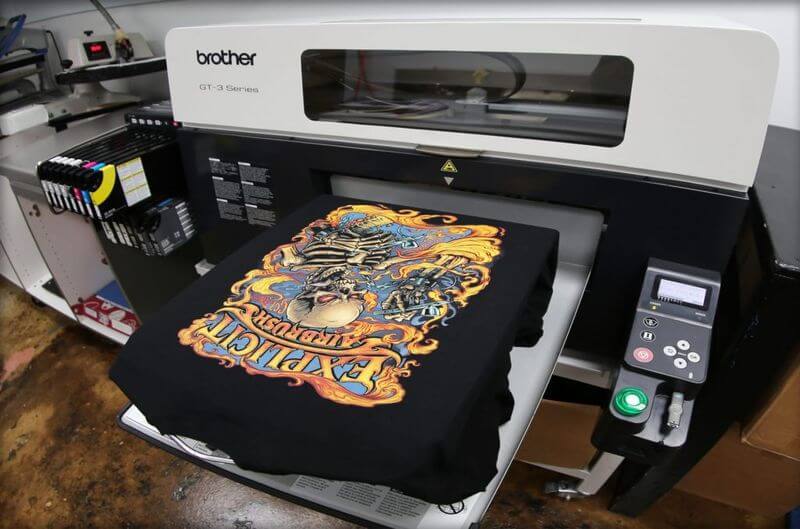
Color accuracy is one of the most critical factors in digital printing, as it directly affects the quality and consistency of printed materials. Whether you’re printing marketing materials, product packaging, or custom designs, achieving impresión sostenible precise color reproduction is key to maintaining brand integrity and meeting client expectations. However, ensuring that the colors on the screen match the final print can be a challenge due to variables in screen displays, printer types, and substrates. Here are essential tips and techniques to help you maximize color accuracy in digital printing.
- Understand Color Profiles and Calibration
One of the first steps to achieving accurate color reproduction is understanding and managing color profiles. Digital devices, from cameras to monitors and printers, use different color spaces such as RGB (Red, Green, Blue) for digital displays and CMYK (Cyan, Magenta, Yellow, Black) for printing. Since most digital artwork is designed in RGB but printed in CMYK, it’s crucial to convert your files into CMYK for more accurate previews. Using ICC (International Color Consortium) color profiles for your devices ensures consistent color management across different platforms. Regularly calibrating your monitor to match your printer’s capabilities is also vital. Calibration tools can adjust brightness, contrast, and color balance on screens, allowing what you see digitally to more closely reflect the printed output.
- Use High-Quality Inks and Paper
The type of ink and paper used in digital printing significantly impacts color accuracy. High-quality inks offer better pigmentation and consistency, ensuring that colors appear vibrant and true to the design. Cheap or low-grade inks may result in faded colors, uneven prints, or inconsistent hues across different runs. Similarly, the choice of paper or substrate affects how ink is absorbed and displayed. Glossy papers tend to enhance the brightness and vibrancy of colors, while matte finishes provide a softer, more subdued appearance. Some specialty papers are optimized for specific types of inks, so it’s important to choose the right combination to achieve the best color results.
- Soft Proofing and Hard Proofing
Soft proofing is a technique that allows designers to simulate how colors will appear on print directly from their computer screens. Using software like Adobe Photoshop or InDesign, you can preview your design in CMYK mode, which helps anticipate color shifts before printing. However, because screens can never perfectly replicate printed materials, hard proofing—printing a test version on your actual printer and paper—remains a crucial step. Hard proofs provide the most accurate representation of final colors and allow you to make necessary adjustments before committing to a full print run. This process reduces costly errors and ensures client satisfaction with color fidelity.
- Apply Color Correction and Consistency Measures
Even with proper profiles and proofs, color inconsistencies can arise during the printing process. This is where color correction techniques come into play. Adjusting hue, saturation, and brightness in design software can fine-tune the overall color output to match the desired results. For example, colors that appear too dark or muted on the proof may need slight increases in saturation or brightness. It’s also essential to consider ink limits—some printers may oversaturate colors if too much ink is applied, leading to smudging or color bleeding. Using a standardized color chart, like a Pantone guide, ensures consistency across different prints and helps match specific shades, especially for branding purposes.
- Maintaining Printer Maintenance and Regular Calibration
Even the best digital printers can suffer from color inaccuracy over time due to wear and tear. Maintaining your printer with regular cleaning, replacing ink cartridges, and performing routine calibration is essential for consistent color accuracy. Some advanced digital printers come with built-in calibration systems that automatically adjust colors based on the ink levels, paper type, and environmental conditions. Regular maintenance ensures that printers continue to perform at their optimal level, minimizing the risk of color discrepancies. Keeping a consistent printing environment—such as controlled temperature and humidity—also helps in maintaining predictable color results.
Conclusion
Maximizing color accuracy in digital printing requires a combination of proper color management, quality materials, and meticulous attention to detail throughout the process. By understanding color profiles, using high-quality inks and paper, applying soft and hard proofing techniques, and maintaining your equipment, you can achieve consistent, vibrant, and accurate color reproduction. Whether you’re a designer, business owner, or print service provider, mastering these techniques will help ensure that your digital prints meet the highest standards, both visually and technically.